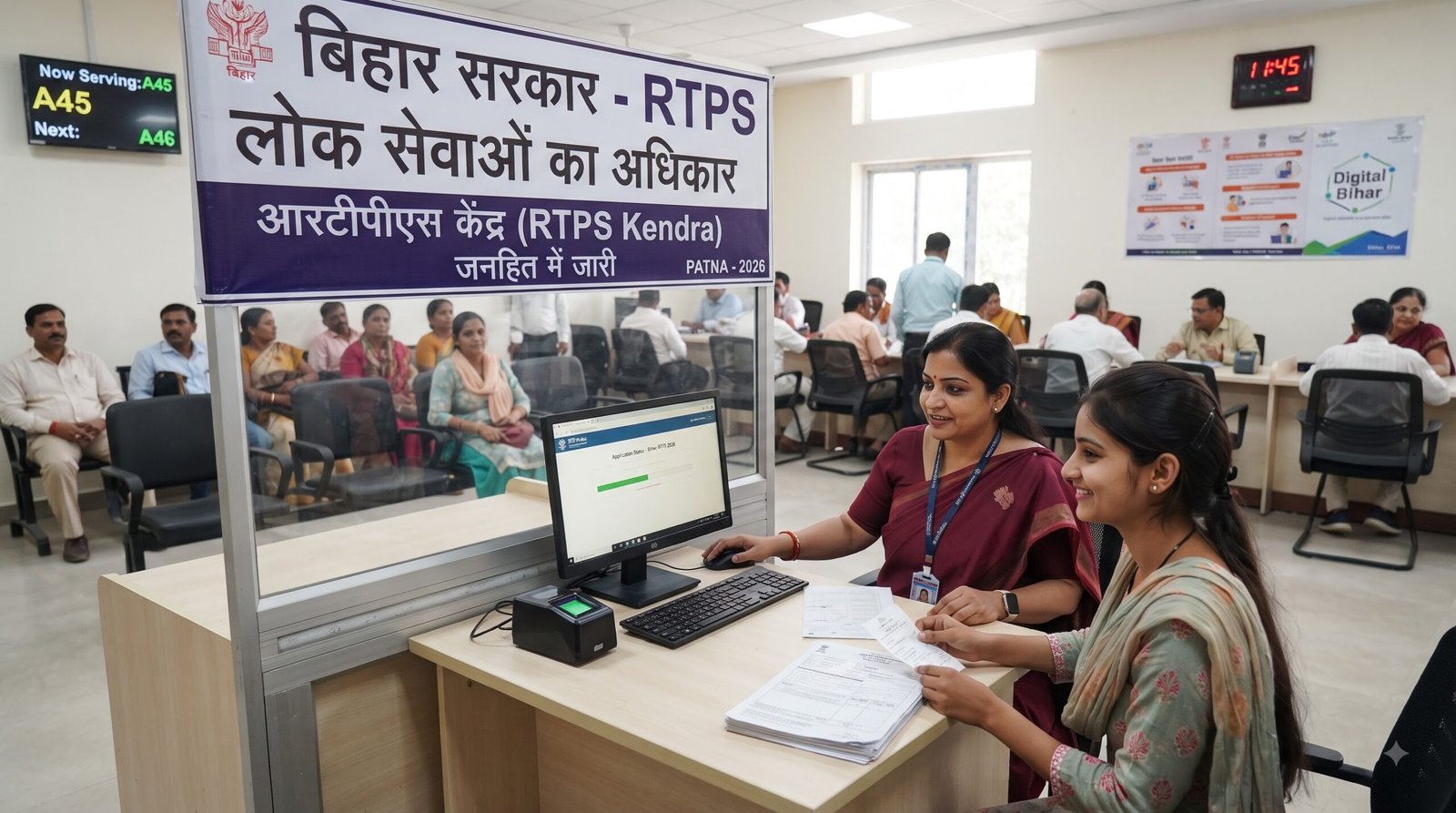
Bihar RTPS 2026 के माध्यम से बिहार के नागरिक कई सरकारी सेवाओं और certificates के लिए online apply, application status check और issued certificate download कर सकते हैं। वर्तमान Bihar ServicePlus portal पर Track Application Status, Download Certificate, Register Yourself और Know Your Eligibility जैसी सुविधाएं उपलब्ध हैं।
अगर आप Bihar RTPS online apply, RTPS Bihar status check, Bihar RTPS certificate download, Bihar caste certificate, Bihar income certificate या Bihar residence certificate online जैसी जानकारी खोज रहे हैं, तो यह guide आपके लिए है।
सबसे जरूरी बात: RTPS कोई एक certificate नहीं है। Bihar RTPS/ServicePlus system के माध्यम से अलग-अलग government services के लिए आवेदन किया जा सकता है। Selected service के अनुसार eligibility, documents, fee और processing requirements अलग हो सकती हैं।
Official Portal: Bihar ServicePlus / RTPS
Bihar RTPS 2026 क्या है?
RTPS का full form Right to Public Service है। Bihar में RTPS services को ServicePlus के माध्यम से online उपलब्ध कराया जाता है, ताकि नागरिक कई सरकारी सेवाओं के लिए घर से आवेदन कर सकें और application की स्थिति देख सकें। Official portal के अनुसार Bihar ServicePlus को बिहार सरकार के Department of Information Technology के माध्यम से लागू किया गया है और National Informatics Centre (NIC) इसका development/support करता है।
Bihar ServicePlus portal पर नागरिकों के लिए मुख्य सुविधाओं में शामिल हैं:
- Register Yourself
- Track Application Status
- Download Certificate
- Know Your Eligibility
- Online government services
- Public Service Centre/RTPS Counter services
- Kiosk services
- Common Service Centre (CSC) services
साधारण भाषा में समझें तो RTPS का उद्देश्य नागरिकों को कई सरकारी सेवाओं के लिए application और certificate delivery की सुविधा online उपलब्ध कराना है।
Bihar RTPS 2026 से कौन-कौन सी Services मिलती हैं?
Bihar ServicePlus पर अलग-अलग departments की कई e-services उपलब्ध हैं। Certificate-related services में Residence, Caste, Income, NCL और EWS जैसी सेवाएं शामिल हैं। Official portal यह भी बताता है कि Residence, Caste, Income, NCL (State), NCL (Central) और EWS certificates की portal-based verification issuing authority की final verification के अधीन होती है।
Bihar Residence Certificate
Residence Certificate बिहार में निवास से संबंधित सरकारी प्रमाण के लिए उपयोग किया जाता है। इसे संबंधित service के अनुसार online process के माध्यम से apply किया जा सकता है।
Bihar Caste Certificate
Caste Certificate जाति से संबंधित सरकारी प्रमाण है, जिसका उपयोग विभिन्न सरकारी योजनाओं, admissions और अन्य applicable purposes में किया जा सकता है।
Bihar Income Certificate
Income Certificate परिवार या applicant की income से संबंधित प्रमाण के रूप में उपयोग किया जाता है। कई schemes और educational benefits में इसकी आवश्यकता हो सकती है।
Bihar EWS Certificate
EWS Certificate Economically Weaker Section से संबंधित eligibility के लिए उपयोग किया जाता है। इसके लिए applicable government rules और required documents को application के समय check करना जरूरी है।
NCL और BC/EBC/OBC Services
ServicePlus portal पर BC/EBC (NCL), OBC (NCL), NCL State और NCL Central से संबंधित services भी उपलब्ध हो सकती हैं। Exact service और application level portal पर selected service के अनुसार check करें।
Bihar RTPS 2026 में Online Apply कैसे करें?
Bihar RTPS online apply करने के लिए official ServicePlus portal का उपयोग करें। Official instructions के अनुसार applicant कई services के लिए बिना login direct service link से या login करने के बाद available services में जाकर application कर सकता है।
Step 1: Official Bihar RTPS Portal खोलें
सबसे पहले official Bihar ServicePlus/RTPS portal खोलें:
केवल official website पर ही अपनी personal information और documents submit करें।
Step 2: अपनी Service खोजें
Portal पर available department/service list में अपनी जरूरत की service खोजें।
उदाहरण के लिए:
- Residence Certificate
- Caste Certificate
- Income Certificate
- EWS Certificate
- NCL-related service
ध्यान रखें: हर service का application form और requirements अलग हो सकते हैं।
Step 3: Login या Direct Application का विकल्प देखें
Official ServicePlus instructions के अनुसार applicant:
- बिना login direct service link से apply कर सकता है
- Register करके login के बाद service खोज सकता है
- Public Service Centre के Executive Assistant के माध्यम से apply कर सकता है
- Kiosk या CSC के माध्यम से भी आवेदन कर सकता है
अगर आप login करके apply करते हैं, तो ServicePlus Inbox की सुविधा भी उपलब्ध होती है।
Step 4: Application Form भरें
Application form में अपना नाम, address, personal details और अन्य required information सावधानी से भरें।
नाम और अन्य details documents के अनुसार भरना बेहतर है।
Submit करने से पहले:
- Name check करें
- Date of birth check करें
- Address check करें
- Mobile number check करें
- Email ID check करें
- अन्य required details verify करें
Step 5: Required Documents Upload करें
Selected service में अगर documents/annexures मांगे गए हैं, तो उन्हें upload करें।
एक universal document list सभी RTPS services के लिए लागू नहीं होती। Required documents selected service और application requirements के अनुसार अलग हो सकते हैं।
इसलिए application form में दिखाई गई document requirements को final मानें।
Step 6: Application Review करें
Final submission से पहले पूरा form दोबारा check करें।
अगर कोई information गलत है तो submission से पहले उसे edit करें।
Official instructions भी application information को carefully check करने और आवश्यक documents attach करने के बाद submit करने की प्रक्रिया बताती हैं।
Step 7: अगर Fee लागू है तो Payment करें
हर RTPS service की fee एक जैसी नहीं होती।
कुछ services paid हो सकती हैं और कुछ services में payment की आवश्यकता नहीं हो सकती।
Official ServicePlus instructions के अनुसार paid service में Make Payment option दिखाई देता है। Payment के लिए ServicePlus से applicant को OGRAS (Online Government Receipt Account System) payment system पर भेजा जा सकता है। उपलब्ध payment methods में Net Banking, Debit Card और Credit Card आदि शामिल हैं।
इसलिए किसी भी article या third-party website पर दी गई fixed fee को blindly follow न करें। Application के समय official portal पर दिखाई गई current fee को ही मानें।
Step 8: Application Submit करें
सभी details और documents check करने के बाद application submit करें।
अगर service unpaid है, तो official instructions के अनुसार payment step के बिना application submit किया जा सकता है।
Step 9: Acknowledgement Save करें
Application successfully submit होने के बाद Acknowledgement/Receipt download या print करके सुरक्षित रखें।
इसमें application reference information होती है, जो बाद में status check और follow-up में काम आ सकती है। Official portal भी acknowledgement को future use के लिए सुरक्षित रखने की सलाह देता है।
Bihar RTPS Status Check 2026 कैसे करें?
Bihar RTPS application status online check करना काफी आसान है।
Official portal पर Citizen Section → Track Application Status का option उपलब्ध है।
Step-by-step RTPS Status Check
- Official Bihar ServicePlus portal खोलें।
- Track Application Status option पर जाएं।
- Required options select करें।
- अपना Application Reference Number दर्ज करें।
- Application Date दर्ज करें।
- Submit करें।
- Application का current status देखें।
RTPS Application Reference Number क्या है?
Application Reference Number application submit करने के बाद मिलने वाला important reference होता है।
इसे:
- Screenshot में save करें
- Acknowledgement में रखें
- Mobile में note करें
- जरूरत पड़ने पर print copy में रखें
Application status check करने के लिए यह information बहुत उपयोगी होती है।
Bihar RTPS Application Status में कौन-कौन से Status दिख सकते हैं?
ServicePlus के applicant manual में application status के उदाहरण के रूप में Initiated, Under Process, Waiting for Payment Status from Bank, Waiting for Applicant’s Response, Delivered, Partially Rejected और Rejected जैसे status दिए गए हैं।
Initiated
इसका अर्थ है कि application process शुरू हो चुका है।
Under Process
Application processing में है और संबंधित authority द्वारा action किया जा रहा है।
Waiting for Payment Status
कुछ paid services में payment confirmation process pending हो सकता है।
Waiting for Applicant’s Response
कुछ cases में applicant से additional response/action की आवश्यकता हो सकती है।
Delivered
Certificate या service output जारी/डिलीवर हो चुका है।
Rejected
Application reject किया गया है। ऐसी स्थिति में उपलब्ध remarks/reason को ध्यान से पढ़ें।
Partially Rejected
कुछ service/application components reject हो सकते हैं। ऐसे status में portal पर उपलब्ध details और remarks check करें।
Bihar RTPS Certificate Download कैसे करें?
Bihar RTPS certificate download करने के कई official तरीके उपलब्ध हैं।
Bihar ServicePlus के अनुसार issued certificate/approval letter को विभिन्न माध्यमों से प्राप्त किया जा सकता है, जिनमें:
- SMS में आने वाला download link
- Email attachment
- DigiLocker
- ServicePlus Inbox
- Portal के Track Application Status section
- Public Service Centre
- Kiosk
- Common Service Centre (CSC)
Method 1: Track Application Status से Download
अगर आपका certificate issue हो चुका है, तो:
- Bihar ServicePlus portal खोलें।
- Track Application Status पर जाएं।
- Application Reference Number और required date/details डालें।
- Application status check करें।
- अगर certificate available है, तो applicable download option का उपयोग करें।
Official portal certificate को Track Application Status link से प्राप्त करने की सुविधा बताता है।
Method 2: SMS Download Link
Certificate issue होने के बाद applicant के registered mobile number पर download link SMS के माध्यम से भेजा जा सकता है।
Method 3: Email
Certificate या approval document applicant के registered email address पर attachment के रूप में भेजा जा सकता है।
Method 4: ServicePlus Inbox
अगर आपने login करके application submit किया है, तो issued certificate ServicePlus Inbox में भी उपलब्ध हो सकता है।
Method 5: DigiLocker
Official Bihar ServicePlus portal DigiLocker को भी certificate delivery/access के माध्यम के रूप में list करता है। हालांकि, हर certificate के लिए एक ही delivery method guaranteed नहीं माना जाना चाहिए। Available options service और application के अनुसार check करें।
Bihar RTPS में कौन-कौन से Documents लगते हैं?
Bihar RTPS documents service के अनुसार अलग-अलग हो सकते हैं।
इसलिए सभी certificates के लिए एक fixed document list बताना सही नहीं होगा।
आमतौर पर application में आवश्यकता हो सकती है:
- Identity proof
- Address/residence proof
- Photograph
- Existing certificate, जहां applicable हो
- Service-specific supporting documents
- अन्य documents जो संबंधित department मांगे
Important Document Tip
Application submit करने से पहले selected service के form में दिए गए required documents/annexures जरूर check करें।
अगर कोई document गलत, unclear या incomplete upload किया जाता है, तो application processing में problem आ सकती है।
Bihar RTPS की Application Fee कितनी है?
Bihar RTPS की एक fixed universal fee नहीं है।
Official ServicePlus instructions के अनुसार कुछ online services paid हैं और कुछ services unpaid हो सकती हैं। Paid service में Make Payment option दिखाई देता है और payment OGRAS के माध्यम से process हो सकता है।
इसलिए:
किसी भी certificate की exact current fee जानने के लिए official Bihar ServicePlus portal पर selected service की जानकारी check करें।
पुराने articles या social media posts में दी गई fee को current मानना सही नहीं है।
क्या Bihar RTPS से बिना Login Apply कर सकते हैं?
हां, कुछ services के लिए बिना login direct service link से application करने की सुविधा उपलब्ध है।
Official ServicePlus instructions के अनुसार applicant online services के लिए:
- बिना login department-wise service link से
- Login करके available services से
- Public Service Centre से
- Kiosk से
- Common Service Centre से
application कर सकता है।
अगर आप login करके application करते हैं, तो ServicePlus Inbox जैसी सुविधा उपयोगी हो सकती है।
Bihar RTPS में Offline Apply कैसे करें?
अगर किसी applicant के पास internet access नहीं है या वह खुद online form नहीं भरना चाहता, तो Public Service Centre/RTPS Counter, Kiosk या CSC जैसे माध्यमों से सहायता ली जा सकती है।
Official portal यह भी बताता है कि applicants को हर service के लिए अनिवार्य रूप से office जाने की जरूरत नहीं है और eligible e-services online प्राप्त की जा सकती हैं।
RTPS Counter पर क्या रखें?
अगर आप offline centre से आवेदन कर रहे हैं, तो:
- Required documents
- Valid identity proof
- Mobile number
- Email ID, अगर उपलब्ध हो
- Existing application details, अगर applicable हों
साथ रखें।
Application submit करने के बाद acknowledgement जरूर लें।
RTPS Application Pending क्यों दिखता है?
अगर आपका Bihar RTPS application pending दिख रहा है, तो इसका मतलब यह जरूरी नहीं है कि application reject हो गया है।
Application अलग-अलग processing stages से गुजर सकता है।
Possible reasons में शामिल हो सकते हैं:
- Application अभी processing में है
- Verification pending है
- Additional information की जरूरत है
- Payment confirmation pending है
- Applicant response pending है
- Issuing authority की processing बाकी है
सबसे पहले application status और remarks check करें।
RTPS Application Reject होने पर क्या करें?
अगर application rejected दिखाई देता है, तो सबसे पहले rejection reason या remarks पढ़ें।
इन चीजों को check करें
- क्या document सही upload किया था?
- क्या information documents से match करती थी?
- क्या required document missing था?
- क्या गलत service select की गई?
- क्या authority ने additional information मांगी थी?
- क्या application में कोई incorrect detail थी?
बिना reason समझे तुरंत नया application submit न करें।
अगर मामला unclear है, तो संबंधित RTPS/Public Service Centre या concerned department से clarification लेना बेहतर है।
क्या RTPS Certificate की Validity होती है?
हर certificate की validity एक जैसी नहीं होती।
Residence, Caste, Income, NCL और EWS जैसे certificates के लिए validity और acceptance संबंधित purpose तथा applicable government rules पर निर्भर कर सकती है।
इसलिए यह कहना सही नहीं होगा कि:
“हर RTPS certificate 1 साल valid होता है।”
किसी specific admission, scholarship, recruitment या government scheme में certificate submit करना है तो उस particular notification में बताई गई validity/requirement check करें।
क्या RTPS Certificate दोबारा Apply करना चाहिए?
अगर पहले जारी किया गया certificate अभी valid है, तो बिना जरूरत नया certificate application करने की जरूरत नहीं हो सकती।
Bihar ServicePlus की official instructions applicants को सलाह देती हैं कि पहले से जारी और valid certificate होने पर बार-बार नया certificate apply न करें और existing certificate का उपयोग करें।
Bihar RTPS Certificate Verification कैसे करें?
Bihar ServicePlus portal certificate verification की सुविधा भी उपलब्ध कराता है।
Official portal के अनुसार Residence, Caste, Income, NCL (State), NCL (Central) और EWS certificates की portal-based verification issuing authority की final verification के अधीन है।
इसलिए online verification result को context के बिना final government decision मानने के बजाय संबंधित issuing authority के rules को ध्यान में रखें।
Bihar RTPS 2026 के लिए Important Tips
RTPS application करते समय छोटी mistakes से बचना बहुत जरूरी है।
1. केवल Official Portal इस्तेमाल करें
Application के लिए official Bihar ServicePlus portal का ही उपयोग करें।
2. Mobile Number Active रखें
ServicePlus के अनुसार application status से संबंधित SMS और अन्य notifications registered mobile number पर भेजे जा सकते हैं।
3. Email सही दें
Certificate/approval letter email attachment के रूप में भी मिल सकता है। इसलिए active email देना उपयोगी है।
4. Application Number सुरक्षित रखें
Application Reference Number खोने से status tracking मुश्किल हो सकती है।
5. Acknowledgement Download करें
Application submit करने के तुरंत बाद acknowledgement save करें।
6. Documents Clear रखें
अगर documents upload करने हैं तो readable और सही documents submit करें।
7. Payment करते समय सावधानी रखें
Paid service में payment official OGRAS process के माध्यम से करें। किसी unknown person या WhatsApp number को payment न करें।
8. Duplicate Application से बचें
अगर application already processing में है, तो बिना वजह नया application submit न करें।
9. Certificate Issue होने का इंतजार करें
Official instructions applicants को certificate issuance का इंतजार करने और बार-बार नया application न करने की सलाह देती हैं।
Bihar RTPS 2026: Common Problems और उनके Solutions
RTPS Website Open नहीं हो रही
पहले internet connection check करें और कुछ समय बाद दोबारा try करें। Government portals पर maintenance या temporary technical issues हो सकते हैं।
Application Status नहीं दिख रहा
Application Reference Number और application date सही डालें। अगर फिर भी समस्या हो तो acknowledgement में दी गई details से verify करें।
Certificate Download नहीं हो रहा
पहले check करें कि certificate वास्तव में issued/delivered हुआ है या अभी processing में है।
SMS नहीं आया
SMS न आने का मतलब यह जरूरी नहीं कि application fail हो गया है। Portal पर application status manually check करें। Registered mobile number और email भी verify करें।
Certificate में Details गलत हैं
Certificate issue होने के बाद information में गलती दिखाई दे तो संबंधित issuing authority/official channel से correction process की जानकारी लें। खुद से certificate edit करने की कोशिश न करें।
Bihar RTPS 2026 Official Website
Bihar RTPS/ServicePlus official website:
Official portal पर Citizen Section में Register Yourself, Track Application Status, Download Certificate और Know Your Eligibility जैसी सुविधाएं उपलब्ध हैं।
Important: किसी third-party website से application करते समय अपनी Aadhaar details, OTP, bank information या अन्य sensitive information share करने से बचें।
Bihar RTPS 2026 FAQs
Bihar RTPS 2026 क्या है?
Bihar RTPS यानी Right to Public Service system के माध्यम से बिहार के नागरिक विभिन्न government services के लिए online आवेदन और certificate-related services का उपयोग कर सकते हैं। Bihar में ये services ServicePlus portal के माध्यम से उपलब्ध हैं।
Bihar RTPS की official website क्या है?
Bihar RTPS/ServicePlus का official portal serviceonline.bihar.gov.in है।
Bihar RTPS status कैसे check करें?
Official portal के Track Application Status option में जाकर Application Reference Number और application date जैसी required details दर्ज करके status check किया जा सकता है।
Bihar RTPS certificate कैसे download करें?
Issued certificate को portal के Track Application Status section, ServicePlus Inbox, email, SMS download link, DigiLocker या applicable centre से प्राप्त किया जा सकता है।
क्या Bihar RTPS online apply किया जा सकता है?
हां। Official ServicePlus portal पर कई government services के लिए online application की सुविधा उपलब्ध है। कुछ applications direct service link से और कुछ login के बाद apply की जा सकती हैं।
क्या Bihar RTPS service free है?
सभी services के लिए एक समान fee नहीं है। कुछ services paid और कुछ unpaid हो सकती हैं। Paid service में official portal payment option दिखाता है।
क्या RTPS certificate DigiLocker में मिलता है?
Bihar ServicePlus official portal DigiLocker को certificate delivery/access के माध्यम के रूप में list करता है। लेकिन हर certificate के लिए एक ही delivery method guaranteed नहीं है।
RTPS application pending होने पर क्या करें?
सबसे पहले official portal पर application status और available remarks check करें। अगर additional response या document की आवश्यकता दिखाई दे, तो उसे पूरा करें।
क्या RTPS certificate की validity सभी के लिए समान है?
नहीं। Certificate की validity और acceptance संबंधित certificate, purpose और applicable rules पर निर्भर कर सकती है।
क्या valid RTPS certificate के लिए फिर से apply करना चाहिए?
अगर पहले जारी certificate अभी valid है, तो बिना जरूरत नया certificate apply नहीं करना चाहिए। Bihar ServicePlus की official instructions भी valid existing certificate को दोबारा उपयोग करने की सलाह देती हैं।
क्या RTPS application offline भी किया जा सकता है?
हां। Official portal के अनुसार Public Service Centre/RTPS Counter, Kiosk और Common Service Centre के माध्यम से भी applications की सुविधा उपलब्ध है।
Bihar RTPS 2026 Quick Summary
| Topic | Details |
|---|---|
| Full Form | Right to Public Service |
| Online Platform | Bihar ServicePlus |
| Official Website | serviceonline.bihar.gov.in |
| Main Services | विभिन्न Bihar government e-Services |
| Certificate Examples | Residence, Caste, Income, NCL, EWS आदि |
| Online Apply | Available for applicable services |
| Status Check | Track Application Status |
| Certificate Download | Portal, SMS, Email, DigiLocker, ServicePlus Inbox आदि |
| Offline Options | RTPS/Public Service Centre, Kiosk, CSC |
| Fee | Service के अनुसार अलग हो सकती है |
| Payment Gateway | OGRAS for applicable paid services |
| Important Document | Application/Acknowledgement details |
| Official Portal | Bihar ServicePlus |
Official Bihar ServicePlus portal currently lists these citizen services and application/delivery methods.
Final Advice
Bihar RTPS 2026 बिहार के नागरिकों के लिए कई government services तक online पहुंच बनाने का useful platform है। आप applicable service के लिए online application कर सकते हैं, acknowledgement सुरक्षित रख सकते हैं और बाद में Bihar RTPS application status track कर सकते हैं। Certificate issue होने के बाद उसे portal, SMS, email, DigiLocker या ServicePlus Inbox जैसे available methods से प्राप्त किया जा सकता है।
लेकिन RTPS पर सबसे जरूरी बात यह है कि हर service के rules, documents, fee और requirements अलग हो सकते हैं। इसलिए किसी पुराने article, YouTube video या social-media post को final source न मानें। Application submit करने से पहले official Bihar ServicePlus portal पर current service details जरूर check करें।
अगर आप Caste Certificate, Income Certificate, Residence Certificate, EWS Certificate या NCL Certificate के लिए apply कर रहे हैं, तो संबंधित service को select करके उसके current requirements को ध्यान से पढ़ें।
Official Bihar RTPS/ServicePlus portal:
Bihar ServicePlus Official Portal